By Louis Kelly September 13, 2026
Sending an invoice is not the same as making an invoice easy to pay. A client can receive a perfectly accurate bill and still delay acting because the sender looks unfamiliar, the subject line is vague, the amount is buried in an attachment, the payment link looks suspicious, or the invoice reaches the wrong person.
The most useful invoice email best practices therefore focus on reducing friction between “invoice generated” and “payment completed.”
A strong invoice email should be recognizable, specific, and easy to act on. Use a consistent billing sender, identify the invoice clearly, show the amount and due date without making the recipient hunt for them, and provide one obvious next action. Send the invoice when it becomes valid rather than waiting for an arbitrary supposedly perfect email hour.
A hosted payment link can make online invoice payment easier because the client can move directly from the email to a payment page. A PDF still has an important role when an accounts-payable department needs a document to save, route, upload, approve, or match against a purchase order.
For many small businesses, the most practical configuration is both: a prominent view/pay link plus an accessible PDF copy.
The goal is not a clever copy. It is a predictable billing experience in which the recipient immediately understands five things:
Who sent this? Which invoice is it? How much is due? When is it due? What should I do next?
Invoice Email Best Practices That Actually Reduce Friction
The best invoice email best practices start with the payment workflow rather than the visual design of the email.
An invoice normally moves through several stages after you press Send. The recipient first has to recognize the sender. They then need to understand why the email arrived, determine whether the invoice is valid, route it to the appropriate approver if necessary, and finally reach an approved payment method.
Every unnecessary decision adds friction.
A useful invoice email therefore makes five items immediately visible:
- Sender: the business or billing contact the client recognizes.
- Invoice reference: an invoice number or equivalent identifier.
- Amount due: including currency where ambiguity is possible.
- Due date: preferably an actual calendar date.
- Payment action: a clear way to view or pay the invoice.
That does not mean every detail must appear above the fold. Line-item descriptions, tax details, terms, addresses, and legal business information can remain on the invoice itself. The email should function as a short routing and action layer around that document.
Email may be the primary delivery channel, but some customers and accounts-payable teams work across portals, text alerts, or mailed documents as well. Businesses that need a broader strategy can also consider multichannel invoice delivery, while keeping the email itself complete enough to identify, review, and act on the invoice without unnecessary confusion.
For example, compare this:
Your invoice is attached. Please review at your earliest convenience.
with a message that says the client owes USD 1,250 on invoice #1042, due May 15, followed by a clear View and Pay Invoice action.
The second message removes basic questions before the client has to ask them.
For businesses that deliberately use email alongside SMS, portals, or mailed invoices, a broader multichannel invoice delivery strategy can provide supporting context. The email channel itself, however, still needs to work well on its own.
A practical hierarchy for invoice emails
Not every component deserves equal attention.
The subject line and sender determine whether the message is recognizable. The opening body confirms the financial obligation. The pay/view action determines how easily the recipient can continue. The PDF, branding, signature, and supporting details come after those essentials.
Invoice Subject Line Examples That Make the Message Clear
Good invoice subject line examples do not depend on hype. They help the recipient recognize and retrieve a financial document.
A useful subject can contain some combination of the business name, invoice number, amount, and due date. Which pieces deserve priority depends on the client relationship and its accounts-payable process.
Subject-line patterns to consider
| Pattern | Example | Best Use | Caution |
| Invoice number + business | Invoice #1042 from Northstar Design — due May 15 | General client billing | Add amount if the client manages many invoices |
| Business first | Northstar Design invoice #1042 — $1,250 due May 15 | When brand recognition matters | Can become long on mobile |
| Simple business reference | Your invoice from Northstar Design | Small repeat-client relationships | Less useful for searching multiple invoices |
| Invoice status/action | Invoice #1042 ready for payment | Straightforward online billing | Business identity should still be obvious from sender |
| Due date first | Payment due May 15 — invoice #1042 | When the due date is operationally important | Avoid making it sound like an overdue notice if it is not |
| PO/reference included | Invoice #1042 — PO 77421 — due June 15 | Procurement-heavy B2B billing | Keep the structure consistent month to month |
Should the amount appear in the subject line?
Sometimes.
An amount can help a business owner or AP employee immediately identify the obligation. That is especially useful where several invoices may be outstanding.
But there are reasonable cases for leaving it out. Some businesses prefer not to expose financial information in lock-screen notifications, shared inbox previews, or other visible email surfaces. Other clients already identify invoices primarily by PO number.
There is no universal winning formula.
Invoice number first or business name first?
Putting the invoice number first makes search and matching easy:
Invoice #1042 from Northstar Design — due May 15
Putting the company name first may improve recognition:
Northstar Design — invoice #1042 due May 15
For a recurring B2B client, consistent structure can matter more than which field happens to come first. If invoices always follow the same pattern, an AP employee can recognize and search them quickly.
What to avoid in invoice subjects
Avoid turning an ordinary invoice into manufactured urgency.
Weak examples include:
- IMPORTANT
- URGENT!!!
- OPEN IMMEDIATELY
- ACTION REQUIRED NOW
- Re: Your invoice, when there was no prior thread
- Fwd: Invoice, when nothing was actually forwarded
- PAYMENT EMERGENCY
False “Re:” or “Fwd:” prefixes create a misleading impression of an earlier conversation. Excessive punctuation, all caps, or unexplained urgency can also make a legitimate billing email resemble phishing.
Clarity builds more trust than theatrics.
Make the Sender Instantly Recognizable
An excellent subject line cannot compensate for a sender the client does not recognize.
When possible, align the display name and email address with the identity the customer already knows. Common formats include:
- Northstar Design Billing <[email protected]>
- Northstar Design Accounts <[email protected]>
- Maria at Northstar Design <[email protected]>
Each has tradeoffs.
A role address such as [email protected] can remain stable when employees change. It can also work well in a shared billing workflow.
For a freelancer or very small business that is moving away from a personal mailbox, setting up a business email address on a custom domain can make the relationship between the sender, company website, invoice, and billing identity easier for clients to recognize.
The important point is consistency: once customers are told where invoices will come from, avoid changing that sender unnecessarily.
An individual sender can feel familiar when the client works closely with that person. But if invoices originate from a personal mailbox and that employee leaves, billing continuity can become messy.
A personal Gmail address may be perfectly legitimate for a freelancer or very small business, but a domain-matched business address generally creates a clearer relationship between the sender, invoice, website, and payment destination.
A no-reply address can work when the invoice platform provides another obvious support route, but it may create friction when clients need to dispute a charge, request a corrected PO, or ask where to send a remittance notice.
A consistent From-address is more important than constant variation
One of the strongest billing-email improvements is simply using the same sender repeatedly.
If January’s invoice comes from [email protected], February’s from an employee’s personal Gmail account, March’s from an accounting platform’s generic domain, and April’s from [email protected], the recipient repeatedly has to decide whether each message is legitimate.
A stable billing sender supports:
- recipient recognition,
- contact whitelisting or address-booking,
- AP filtering rules,
- historical search,
- internal routing,
- and consistent deliverability management.
Google’s current sender guidance also recommends keeping messages of the same category on consistent From addresses—for example, account notifications from a stable account-notification address.
Consistency does not authenticate the domain by itself, and it does not guarantee inbox placement. It simply makes the human and technical identity of the billing stream easier to manage.
For a deeper treatment of authentication rather than invoice copy, see the guide to SPF, DKIM, and DMARC for business email.
Why Send Timing Matters More Than Fancy Invoice Design
There is no defensible universal rule that every invoice should be sent on Tuesday at 10:00 a.m. or any other fixed hour.
For an invoice, the most important timing event is usually the business event that makes the invoice valid.
If a contractor reaches a billable milestone Wednesday afternoon, delaying the invoice until a supposedly better marketing-email time may accomplish nothing. If a consultant invoices monthly, sending promptly after the billing period closes is more operationally meaningful than trying to optimize for inbox-open behavior.
Send promptly once the invoice is valid
Same-day invoicing can be useful because the underlying work is still recent.
The client may remember the project, deliverable, service call, shipment, or milestone without having to reconstruct what happened several days later. The project manager can also route the invoice to AP while the job is still active in their workflow.
This does not guarantee faster payment. Contract terms, approval rules, disputes, client cash flow, and AP scheduling can still determine the actual payment date.
But unnecessary delay before issuing the invoice creates a delay that is entirely within the seller’s control.
Client AP calendars matter more than generic email timing advice
B2B businesses should learn how their customers actually process invoices.
Questions worth asking include:
- Is there a specific AP inbox?
- Is a PO required?
- Are invoices approved weekly?
- Is there a month-end cutoff?
- Does the project owner have to approve before AP can schedule payment?
- Is the supplier required to submit invoices through a portal as well as email?
- Does accounting close a billing period on a particular date?
Missing an internal approval window by one day can matter more than any aesthetic email optimization.
This is why a monthly service invoice should often be issued immediately after the service period closes and before the client’s relevant internal cutoff.
Friday versus Monday invoice sends
Neither day is automatically wrong.
A Friday invoice can reach the client while the work is fresh, but it may be buried by weekend email if the recipient does not process AP until Monday.
A Monday invoice may avoid weekend inactivity, but Monday inbox volume can be high.
The better approach is to observe the specific client’s behavior. If the AP department routinely processes incoming invoices Friday afternoon, Friday may be ideal. If a freelancer’s repeat client reviews payments every Wednesday, sending on Monday or Tuesday may give them useful lead time.
Timing should follow workflow, not folklore.
What Belongs in the Invoice Email Body
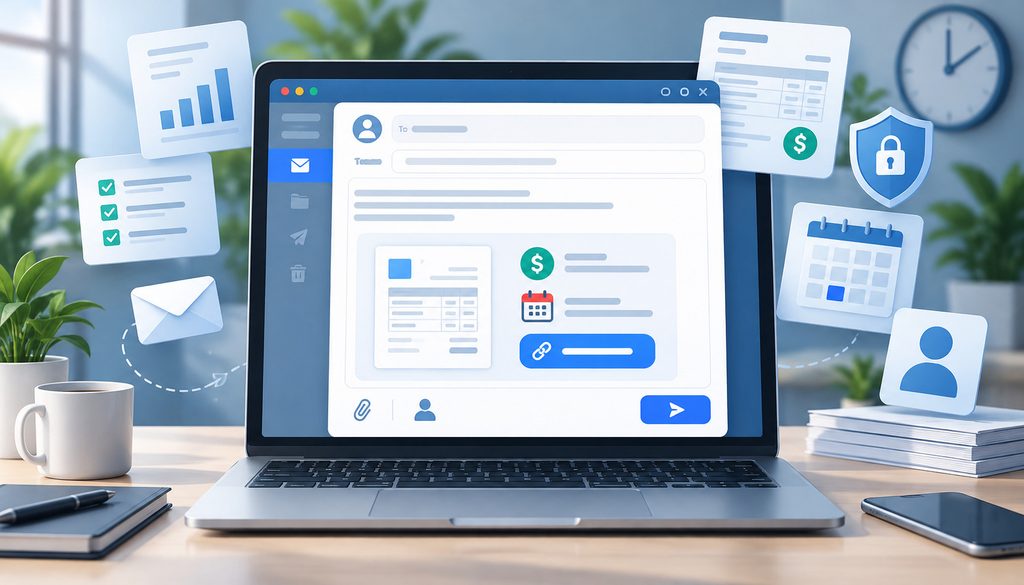
The email body should answer the recipient’s immediate questions without duplicating the entire invoice.
A practical structure is:
Client or contact name → invoice reference → amount → due date → short description → payment action → billing contact.
What should appear in the message?
| Element | Include? | Why |
| Client/contact name | Usually | Confirms intended recipient |
| Invoice number | Yes | Supports matching, search, and questions |
| Amount due | Usually | Removes need to open a file just to identify obligation |
| Currency | When relevant | Prevents ambiguity for international billing |
| Due date | Yes | Makes timing explicit |
| PO/reference | When required | Helps AP match the invoice |
| Short service/project description | Usually | Gives context without repeating line items |
| Pay/view link | When available | Provides direct next action |
| When useful | Supports AP and recordkeeping | |
| Billing contact | Yes | Gives recipient a route for questions |
| Sales promotion | Usually no | Competes with the payment purpose |
Use an actual calendar date
“Net 30” can still appear on the invoice, but the email should preferably also say:
Due June 15, 2027
rather than requiring the recipient to calculate a date from the invoice issue date.
Make the amount easy to identify
For a straightforward invoice, hiding the balance behind the attachment adds friction.
For example:
Amount due: USD 1,250.00
Due: May 15
For an international client, include the currency explicitly. A $ symbol alone may not tell the recipient whether the invoice is denominated in U.S., Canadian, Australian, or another dollar currency.
Include the PO where the client requires one
Many B2B payment delays are not copywriting problems.
If an AP system requires PO 77421 and the invoice omits it, a beautifully designed email may still be rejected or parked for manual resolution.
Verify the reference before sending.
What to cut
Remove material that competes with the billing action:
- lengthy sales copy,
- product announcements,
- unrelated promotions,
- multiple prominent buttons,
- giant disclaimers better located on the invoice or contract,
- repeated line-item details already available on the invoice,
- social follow buttons that distract from payment.
The FTC distinguishes transactional or relationship messages from commercial email according to the message’s primary purpose. Its CAN-SPAM guidance notes that messages facilitating an already agreed transaction can be transactional, while mixing prominent promotional material into them can affect that analysis. Keep invoice email focused on billing and obtain legal advice for compliance questions specific to your situation.
One Primary Action Per Invoice Email
An invoice email may technically contain several links, but it should have one obvious primary action.
Usually that action is:
View and Pay Invoice
or:
Pay Invoice
Secondary actions can remain visually quieter:
- Download PDF
- Contact billing
- View payment details
The problem with several equally prominent actions is decision friction. If the recipient sees separate buttons for the portal, PDF, account login, company homepage, support, credit card page, ACH page, and promotion, the message no longer communicates the fastest path.
This principle becomes especially important on mobile, where the recipient may only see the top portion of the message before deciding whether to act.
From a compliance standpoint, the distinction between billing content and promotional content can matter as well. The FTC guidance on transactional and commercial email explains that a message facilitating an already agreed transaction may qualify as transactional or relationship content, while mixed messages require attention to their primary purpose.
Keeping an invoice email centered on the invoice therefore supports both clarity and cleaner compliance positioning. Businesses with specific legal questions should seek appropriate counsel.
Email Invoice With Payment Link vs. PDF Attachment
When you email invoice with payment link, the recipient can move from the message directly into a hosted invoice or checkout flow. When you attach only a PDF, payment may require additional steps such as locating bank details, signing into another portal, writing a check, or manually initiating a bank payment.
That does not make a pay link universally better.
The correct choice depends on the client’s workflow.
Pay Link vs. PDF Invoice
| Factor | Hosted Pay Link | PDF Attachment |
| Payment friction | Can be low when payment is embedded | Can be higher if payment must be initiated separately |
| Recordkeeping | Often portal-based; PDF may also be downloadable | Easy to save or upload |
| AP workflow | Depends on client’s process | Familiar to many AP teams |
| Security perception | Depends on sender, link domain, and branding | Recipient systems may scan attachments |
| Mobile experience | Often strong when page is responsive | Small PDFs can be awkward to review |
| Invoice status | May show open/paid/current status | Static document |
| Internal forwarding | Link can be forwarded subject to platform controls | Document is easy to route |
| Payment options | Can present enabled card/bank methods | Depends on instructions in document |
| Corrections | Hosted page may reflect platform workflow | Multiple file versions can create confusion |
When pay links work better
A hosted invoice page works particularly well when the recipient can:
- open the email,
- select one recognizable link,
- confirm the invoice and amount,
- choose an available payment method,
- complete payment.
Current Stripe documentation, for example, describes its Hosted Invoice Page as a private invoice URL where customers can view the amount and status, pay using enabled methods, and download PDF copies. It also supports business branding.
That is one example of how a hosted invoice implementation can combine payment and documentation rather than forcing a choice between them.
Do not assume every payment page offers the same controls or security model. Evaluate the actual platform you use.
Pay-link placement
Put the primary payment action near the top, after the invoice summary.
For example:
Invoice #1042
Amount due: $1,250.00
Due: May 15
View and Pay Invoice
If the message becomes longer because it contains instructions, you can repeat the same action once near the bottom.
Do not bury the URL inside a dense paragraph.
When PDF invoices still matter
PDFs remain valuable when:
- AP requires a document attachment,
- a purchasing team routes invoices internally,
- invoices are uploaded to a document-management system,
- the customer stores copies outside the billing portal,
- the agreement expects a formal PDF,
- the recipient needs a printable tax/accounting record.
A PDF is not inherently a deliverability problem. Gmail states that it automatically scans attachments for viruses, while Microsoft’s Safe Attachments technology can analyze attachments in a virtual environment before delivery.
These security layers are reasons to use conventional, expected formats—not reasons to claim that PDF invoices automatically go to spam.
The strong hybrid approach
For many businesses, a useful structure is:
Email summary → View/Pay Invoice → optional PDF
That gives an owner or small-business client an immediate online payment route while still giving accounting personnel a document they can save.
A hosted payment page and PDF should show exactly the same:
- invoice number,
- amount,
- due date,
- customer,
- line items,
- currency,
- credits or adjustments.
If the email says $1,250, the PDF says $1,200, and the portal says $1,275, the recipient has good reason to stop.
Attachment naming matters
Use something recognizable:
Invoice-1042-Northstar-Design.pdf
or:
Northstar-Invoice-1042.pdf
Avoid:
- invoice-final-final2.pdf
- document123.pdf
- scan001.pdf
- Untitled.pdf
Clear naming improves searchability and reduces the resemblance to an unexpected attachment.
Avoid suspicious attachment formats
For ordinary invoices, a standard PDF is much more appropriate than executable files, scripts, compressed archives, or macro-enabled Office documents.
Gmail specifically blocks many executable or potentially dangerous attachment formats and can block documents containing malicious macros.
How Branding Makes Payment Links More Trustworthy
Modern businesses routinely train employees not to click unexpected financial links. That is good security practice, but it means legitimate invoice emails must earn trust quickly.
The most convincing invoice email is predictable.
Ideally, these elements align:
- From-name
- From-domain
- business name
- logo
- invoice style
- payment-page branding
- support address
- payment-link domain or recognizable provider domain
If a client works with Northstar Design, the invoice arrives from an unrelated Gmail account, the button uses a generic URL shortener, and the checkout page suddenly carries unfamiliar branding, the customer may stop even when the invoice is genuine.
That hesitation is rational.
Avoid generic URL shorteners
A short link such as an unfamiliar bit.ly-style URL conceals the destination.
For billing links, use the platform’s official invoice URL or an approved branded domain when supported. The recipient should have a reasonable opportunity to identify where the click will lead.
FBI/IC3 guidance for business email compromise specifically advises users to verify that URLs in financial emails are associated with the business or individual they claim to represent and to watch for misspelled lookalike domains.
Tell customers what legitimate billing looks like
Onboarding is an underused security tool.
When a client relationship starts, state:
- invoices come from [email protected],
- online payments use the company’s known billing platform/domain,
- questions go to a known billing contact,
- requests to change bank details are handled through a separate verification procedure.
The future invoice then becomes expected rather than surprising.
Keep bank-detail changes separate from routine invoices
Do not casually add a note such as:
IMPORTANT: our bank has changed. Wire all future payments to this new account immediately.
That wording closely resembles a common business-email-compromise pattern.
IC3 recommends verifying account-information changes through a secondary channel. Businesses should therefore use an established verification process for changes to payment instructions rather than treating an invoice body as sufficient proof.
How to Improve Invoice Email Deliverability
Invoice email deliverability is partly technical and partly operational.
Authentication matters. So do sender reputation, accurate recipients, appropriate content, bounce handling, and avoiding unnecessary characteristics associated with abusive or deceptive messages.
A stable sender makes billing recognizable. Authentication helps receiving systems validate that the domain is authorized to send the email. Neither alone guarantees inbox placement.
Deliverability basics
| Control | Purpose | Typical Owner |
| SPF | Identifies authorized sending sources for a domain | IT/domain administrator |
| DKIM | Adds a cryptographic signature that receiving systems can validate | Email provider/IT |
| DMARC | Adds domain-alignment policy and reporting based on SPF/DKIM | IT/domain administrator |
| Stable From-address | Makes the billing stream consistent | Billing/operations |
| Bounce monitoring | Identifies invalid or blocked destinations | AR/billing |
| Clean recipient records | Reduces failed delivery | Sales/admin/AR |
| Appropriate attachments | Reduces unnecessary security friction | Billing |
| Clear legitimate links | Helps recipient trust and security | Billing/IT |
| Sending reputation | Reflects broader sending behavior | Email/IT team |
SPF, DKIM, and DMARC for billing email
Invoice senders do not need to turn every billing employee into an email administrator, but the domain behind the From address should be configured correctly. Businesses that need the technical background can review business email authentication, including SPF, DKIM, and DMARC, while the billing team focuses on maintaining a recognizable sender and monitoring failed deliveries.
These mechanisms have related but different roles.
SPF allows a domain to publish which mail systems are authorized to send on its behalf. It evaluates the sending infrastructure and envelope domain.
DKIM uses a digital signature so receiving systems can verify that a message was signed by an authorized domain and that signed portions were not improperly altered.
DMARC builds on SPF and DKIM by checking domain alignment with the visible From domain and allowing the domain owner to publish a policy and receive reports.
Microsoft’s current documentation similarly describes SPF as identifying email sources, DKIM as digitally signing message elements, and DMARC as using SPF/DKIM authentication and alignment to help prevent spoofing.
These controls do not make every invoice trustworthy merely because it passed authentication. A compromised legitimate account can still send harmful mail. Authentication is one component of a broader security and deliverability system.
Current Gmail requirements
Google’s current sender guidelines require all senders to personal Gmail accounts to use SPF or DKIM authentication, along with other technical practices.
For senders reaching roughly 5,000 or more messages per day to personal Gmail accounts, Google requires SPF and DKIM, DMARC, domain alignment, and additional controls. Its one-click-unsubscribe requirement applies to marketing and subscribed messages—not to a routine individual invoice simply because it contains a payment link.
A typical small business sending individual invoices is unlikely to resemble a high-volume bulk operation, but correct authentication remains good practice.
Current Yahoo requirements
Yahoo likewise requires authentication for senders and additional controls for bulk senders, including both SPF and DKIM plus a valid DMARC policy.
Other major mailbox providers have similar expectations. Yahoo’s sender requirements call for SPF or DKIM authentication for senders generally, with stronger authentication requirements for bulk senders.
For an invoice program, the practical lesson is to authenticate the domain correctly and maintain the sending infrastructure rather than relying on subject-line tricks to overcome technical problems.
Do not interpret these requirements as a promise of inbox placement. Authentication establishes important identity signals; mailbox providers still evaluate other factors.
Transactional invoice traffic should stay transactional
A billing email exists primarily to facilitate or complete an existing commercial transaction.
That is another reason to keep promotions small or omit them.
When the recipient opens an invoice, the message should look like a financial communication, not a newsletter that happens to contain an amount due.
Do not run individual invoices through an ordinary marketing blast merely because the marketing tool already has the customer’s email address. Invoice or transactional systems are better suited to individualized data, delivery records, invoice state, payment state, and audit trails.
Do not over-rely on tracking pixels
Some invoice platforms can report delivered, opened, viewed, or paid states.
Treat those signals differently.
An open signal may depend on image loading and privacy behavior, making it imperfect. A customer may also preview or forward a message in ways that complicate tracking.
A hosted invoice viewed event or an invoice paid event is generally much more operationally meaningful than an email-open flag.
Watch bounces
A bounced invoice is not successfully delivered merely because your system generated a “sent” event.
When a billing email bounces:
- verify the address,
- check whether the contact changed jobs,
- use a previously verified alternate contact if available,
- update the customer record,
- resend only after correcting the problem.
Do not allow an invalid AP address to remain in the system for the next billing cycle.
For teams managing role mailboxes such as billing@ or accounts@, consistent assignment and ownership can also prevent bounced messages or client questions from being overlooked. A shared inbox workflow can help when multiple employees manage financial communications.
A Simple Invoice Resend Cadence Before the Due Date
Reminder timing should keep the invoice visible without making the client feel chased before payment is actually due.
Use the payment terms and customer workflow to determine exact spacing rather than applying one rigid schedule to everyone.
Practical resend cadence
| Stage | Timing | Message Goal |
| Initial send | As soon as invoice is valid | Deliver invoice and payment route |
| Courtesy reminder | Reasonable interval before due date | Make sure invoice remains visible |
| Due-date reminder | On due date if appropriate | Confirm that payment is now due |
| First overdue follow-up | After the due date | Move into overdue handling |
Initial send
The first email should contain everything necessary to process the invoice.
Do not send a vague notification and make the client wait for another message containing the document.
Before-due reminder
Keep it factual.
For example:
Just a reminder that invoice #1042 for $1,250 is due Friday, May 15. You can view or pay for it using the link below.
The invoice is not late yet, so the message should not accuse the recipient of failing to pay.
Due-date reminder
Whether this is necessary depends on the account.
For a small repeat client who reliably pays on schedule, sending both a pre-due reminder and a due-date reminder may be excessive. For a client whose AP process benefits from scheduled prompts, it can be useful.
The objective is not maximum email frequency. It is appropriate visibility.
Resend the original thread or create a new message?
Both approaches have advantages.
Continuing the original thread preserves the invoice history and gives the recipient immediate context.
A fresh email can surface separately in the inbox and can be useful when the original was buried.
Whichever approach you adopt, keep the invoice number and details consistent so the client does not mistake a reminder for a second charge.
Should you attach the invoice again?
If the recipient needs the PDF and the first attachment is buried, attaching the same finalized invoice can be useful.
Do not generate several slightly different PDFs with names such as invoice-new.pdf, invoice-updated2.pdf, and invoice-final.pdf unless the invoice was genuinely revised. If it was revised, make the replacement status clear.
Overdue emails belong to a different stage. Once the due date passes, the conversation moves from invoice-delivery optimization into receivables follow-up, dispute resolution, or collections policy.
Invoice Email Templates for Common Billing Situations
These templates keep the payment purpose obvious without becoming overly formal.
Simple Invoice Email Template
Subject: Invoice #1042 from Northstar Design — due May 15
Hi Jordan,
Invoice #1042 for $1,250.00 is ready.
Due date: May 15
Project: April design services
[View and Pay Invoice]
A PDF copy is attached for your records.
If you have a billing question, reply to this email or contact [email protected].
Thanks,
Northstar Design Billing
Friendly Invoice Email Template
Subject: Your April invoice from Northstar Design
Hi Jordan,
Thanks again for working with us this month. Invoice #1042 for $1,250.00 is due May 15.
[View and Pay Invoice]
I have also attached the PDF in case you need it for your records.
Let me know if anything on the invoice needs clarification.
Best,
Maria
Formal B2B Invoice Email Template
Subject: Invoice #1042 — PO 77421 — due June 15
Hello Accounts Payable,
Please find invoice #1042 for USD 8,450.00, issued against PO 77421.
Invoice date: May 16
Due date: June 15
Reference: Q2 implementation services
[View Invoice / Payment Details]
A PDF copy is attached for processing.
Questions regarding the invoice may be sent to [email protected].
Regards,
Accounts Receivable
Milestone Invoice Email Template
Subject: Project milestone invoice #2057 — due July 10
Hi Priya,
Milestone 2 has been completed, and invoice #2057 has been issued for $4,800.00.
Milestone: Prototype approval
Amount due: $4,800.00
Due: July 10
[View and Pay Invoice]
The detailed milestone invoice is attached.
Please reply if your team needs any supporting documentation for approval.
Thanks,
Billing Team
Recurring monthly invoice email
Consistency matters even more for recurring invoices.
Use the same subject structure each month:
Northstar Design — invoice #1152 — August services — due September 15
Then keep the body order stable:
invoice number → billing period → amount → due date → payment action.
The customer gradually learns what legitimate monthly billing from your company looks like.
Recipient Selection Can Matter More Than Copy
An invoice emailed to the wrong person can be perfectly written and still sit unpaid.
At onboarding, determine:
- the actual AP address,
- whether the project contact should be copied,
- whether a purchasing officer must approve,
- whether invoices go to a portal,
- whether a PO is mandatory.
Avoid sending only to [email protected] when a verified [email protected] address exists.
At the same time, do not copy half the organization merely because payment matters. Excessive CC lists create confusion over who owns the task.
A useful B2B pattern may be:
To: accounts payable
CC: project owner, when their approval or awareness is useful
For smaller businesses, the owner may be both the operating and billing contact.
How to Get Invoices Paid Faster Email Without Making False Promises
A get invoices paid faster email is not a magical template.
Email optimization can remove avoidable delays by making the invoice easier to recognize, route, understand, and pay. It cannot eliminate delays caused by contractual terms, disputes, client cash flow, approval rules, procurement policy, or an intentionally scheduled payment cycle.
Focus on the parts you control:
- invoice promptly,
- use the correct recipient,
- include required PO/reference data,
- identify the balance clearly,
- state a real due date,
- provide an obvious action,
- make the payment destination trustworthy,
- monitor delivery,
- send restrained reminders.
That is a stronger operational strategy than rewriting the subject line every month in search of a theoretical perfect phrase.
How to Measure Whether Your Invoice Emails Are Working
You do not need invented industry benchmarks.
Compare your own billing process over time.
Track what happens after invoices are issued and look for recurring friction.
Simple invoice email dashboard
| Metric | What It Tells You | Action |
| Bounce rate | Contact/address quality | Correct bad recipients |
| Delivery status | Whether mail reached receiving system | Investigate failures |
| Invoice view status | Whether customer reached invoice page | Review sender, routing, or link trust |
| Days to pay | End-to-end payment speed | Review timing, terms, approval process |
| Reminder count | How often invoices need nudging | Review clarity and client workflow |
| Payment method | How customers actually pay | Adjust checkout options where appropriate |
| Correction count | Invoice-data quality | Fix PO, pricing, tax, or reference errors |
Measure the billing process, not just email engagement
Open rates alone are weak decision signals for invoices.
A more useful timeline is:
Invoice created → sent → delivered → viewed → approved → paid
Your system may not provide every state, but capture the ones it does.
A customer who never triggers an email-open pixel but pays the invoice immediately should not be categorized as an email failure.
Look at reminder count
Suppose one customer consistently requires three reminders while other clients pay without them.
The problem could be:
- wrong AP recipient,
- payment link blocked,
- missing PO,
- invoice arriving after AP cutoff,
- unclear project reference,
- the client’s established payment cycle.
That tells you much more than experimenting with emojis in the subject line.
Pro Tip: Review slow-paying invoices individually before changing your template for every client. A recurring issue with one customer’s procurement rules should not become a company-wide email redesign.
Common Invoice Email Mistakes
Most invoice email problems are not sophisticated. They are small points of friction repeated across dozens of invoices.
| Mistake | Why It Slows Payment | Better Approach |
| Vague subject | Recipient cannot identify message quickly | Use business/invoice/reference details |
| Unfamiliar sender | Raises trust questions | Use stable recognizable billing identity |
| Amount hidden | Requires extra step | Show amount where appropriate |
| Due date missing | Timing is ambiguous | State an actual date |
| Wrong AP contact | Invoice does not enter workflow | Verify recipient |
| Missing PO | AP cannot match invoice | Include required reference |
| Multiple competing CTAs | Creates decision friction | Use one primary pay/view action |
| Pay link buried in paragraph | Hard to locate | Place prominently near invoice summary |
| Shortened generic URL | Destination is unclear | Use recognizable official billing link |
| Bad attachment name | Looks generic or suspicious | Use invoice number + business name |
| PDF/portal mismatch | Creates a reason to stop payment | Reconcile all invoice data |
| Sending days late | Delays AP entry | Issue promptly once valid |
| Too much marketing | Distracts from transaction | Keep invoice message transactional |
| No delivery monitoring | Bounce goes unnoticed | Check failed deliveries |
| Aggressive pre-due reminders | Damages client experience | Use restrained cadence |
| Bank changes inserted casually | Resembles BEC/phishing | Verify payment changes separately |
Practical Invoice Email Workflow
A reliable workflow is easier to train and audit than relying on each employee’s personal email habits.
- Generate the final invoice. Confirm that charges, tax, credits, customer details, and terms are correct.
- Verify the billing recipient. Use the actual AP or billing contact.
- Confirm the PO or reference. Do not send if a mandatory customer reference is missing.
- Use the recognizable sender. Keep the From-name and From-address consistent.
- Write a clear subject. Include useful identifiers rather than promotional copy.
- State invoice number, amount, and due date. Make the financial obligation visible.
- Add one primary pay/view action.
- Attach or provide a PDF where the workflow requires one.
- Verify payment-page identity. Confirm branding, destination domain, and support information.
- Check data consistency. Email, PDF, and hosted invoice must agree.
- Test mobile presentation. Confirm that important details and the CTA are usable on a phone.
- Send promptly when the invoice becomes valid.
- Check delivery and bounces.
- Correct rejected or dead contacts quickly.
- Send a restrained courtesy reminder before the due date when appropriate.
- Send a due-date reminder where the client workflow benefits from one.
- Move the invoice into the overdue process only after the due date.
- Track days to pay and reminder count.
- Review recurring friction by customer.
- Update templates based on actual billing behavior rather than unsupported email folklore.
For businesses setting up or standardizing professional sender identities, guidance on business-oriented email addresses and custom domains can support the sender-identity side of this workflow.
Invoice Email Best Practices Checklist
Before sending an invoice, confirm:
- The correct AP or billing contact is selected.
- Any required PO or customer reference is present.
- The From-name is recognizable.
- The billing From-address is stable.
- The sending domain is properly authenticated.
- The subject line clearly identifies the invoice.
- The invoice number is visible.
- The amount due is visible where appropriate.
- Currency is explicit where needed.
- An actual due date is shown.
- There is one primary CTA.
- The pay/view link is prominent.
- The payment destination uses recognizable branding or an expected provider identity.
- Generic URL shorteners are avoided.
- A PDF is attached or available when the client workflow requires it.
- The PDF filename is recognizable.
- The PDF and payment page show matching data.
- The message works on mobile.
- The invoice is being sent promptly after becoming valid.
- Delivery or bounce status will be monitored.
- A short pre-due reminder is scheduled only where appropriate.
- Reminder frequency is not excessive.
- Days to payment are tracked.
- Reminder count is tracked.
- Recurring delivery problems are reviewed.
- Changes to bank or remittance details are handled through a separate verification process.
Frequently Asked Questions
What should an invoice email subject line say?
Include enough information for the recipient to identify the obligation quickly. The business name, invoice number, due date, PO/reference, and sometimes the amount are useful components. You do not need to include all of them in every subject.
Should I put the amount due in the subject line?
It can be useful when recipients manage multiple bills and want to identify the obligation immediately. It is not mandatory, and some businesses may prefer to keep the amount out of inbox previews for privacy reasons.
When is the best time to send an invoice email?
Send it promptly when the invoice becomes valid and with enough time to enter the client’s approval cycle. The billing event and customer AP process matter more than a supposed universal best hour or weekday.
Should I send an invoice immediately after work is completed?
Often, yes, if completion makes the invoice contractually valid. Same-day invoicing can reduce the gap between the work and the client’s review, but verify your agreed billing schedule and any required milestone approval first.
Is it better to email a payment link or attach a PDF invoice?
Neither is universally superior. A hosted pay link can provide a direct payment route, while a PDF is often easier for AP departments to save, upload, forward, and archive.
Should I use both a pay link and a PDF?
Often that is a useful combination. The link supports convenient online action, while the PDF supports documentation and internal processing.
Where should the payment link appear in the email?
Place the primary View/Pay action near the invoice summary toward the top of the message. If the email is unusually long, repeating the same action once near the bottom can help.
What should be included in the invoice email body?
Normally include the invoice number, amount due, currency where relevant, due date, short service or project reference, one primary payment/view action, and a contact for billing questions.
How do I stop invoice emails from going to spam?
There is no guaranteed method. Use authenticated sending infrastructure, maintain accurate recipient lists, use a consistent sender identity, monitor bounces, avoid deceptive content, and follow the relevant mailbox provider’s sender requirements.
Do SPF, DKIM, and DMARC matter for invoice emails?
Yes. They are important domain-authentication controls that help receiving systems validate legitimate mail and resist spoofing. They should be configured correctly, but authentication does not by itself guarantee inbox placement.
What sender address should invoices come from?
A consistent, recognizable address such as [email protected], [email protected], or a known employee’s domain-based account can work. Choose a format that clients recognize and that your business can maintain reliably.
How soon should I resend an unpaid invoice?
Base reminders on the due date and client workflow. A short courtesy reminder before the due date may be appropriate, followed by a due-date reminder where useful. Avoid repeatedly chasing an invoice that is not yet due.
Should I send a reminder before the due date?
For some clients, yes. Keep it factual and brief: identify the invoice and state the upcoming due date without implying that payment is already late.
How can clients verify that a payment link is legitimate?
Use predictable sender addresses, recognizable invoice and payment-page branding, an official or expected billing domain, and a known support contact. Tell clients during onboarding what legitimate payment emails will look like and verify changes to bank information separately.
How do I measure whether invoice emails are improving payment speed?
Track your own operational data: sent date, delivery status, invoice-view status where available, paid date, days to payment, reminders required, and recurring delivery or approval problems. Compare changes over time rather than relying on invented industry benchmarks.
Conclusion
Effective invoice emails are rarely the most elaborate messages in a business inbox. They work because the recipient can recognize them and understand what to do without unnecessary effort.
Use a sender identity clients know. Build subject lines around invoice recognition rather than cleverness. Send the invoice promptly when the underlying billing event makes it valid, while respecting the customer’s AP cutoff, PO, and approval requirements.
Hosted payment links can reduce the steps between opening an email and reaching checkout, but PDFs remain valuable for procurement, accounting, routing, and recordkeeping. In many cases, the practical answer to PDF invoice vs pay link is to provide both while keeping the pay/view action prominent.
Domain authentication through SPF, DKIM, and DMARC supports trustworthy email infrastructure, while consistent sender identity, predictable branding, bounce monitoring, and recognizable payment destinations strengthen the overall billing experience.
Finally, follow up with restraint. A short courtesy reminder before the due date can keep an invoice visible without turning an ordinary accounts-receivable message into a collections campaign.
The central rule is straightforward: make every legitimate invoice easy to identify, easy to verify, and easy to act on.